
Top 12 Social Media Marketing Companies in Austin (2026)
Social media can help Austin businesses get noticed, connect with potential customers, and build a recognizable brand. But posting a few updates each week does

Learn what Search Engine Optimization is, how Google and Bing actually work, and the practical, real steps you can take today to start improving your website’s visibility.
Written by Webxtalk Marketing Expert
Last Updated September 17, 2026

Get an SEO strategy that’s tailored for your business, industry, and revenue goals.
In this guide, you will learn about:
Let’s start
Chapter 1, you will learn about the basics of SEO.
Or, skip ahead to the next chapter on on-page SEO basics!
Search engine optimization (SEO) is the process of optimizing a website so it appears higher in unpaid, organic search results. SEO takes 3–6 months of consistent work before most sites see meaningful movement. Common SEO tasks include speeding up your pages, researching the right keywords, and publishing content people actually want to read.
Before you optimize your content, it is important to understand how search engines work because search engines decide how a website should rank. So SEO follows a systematic approach that helps a website rank higher.
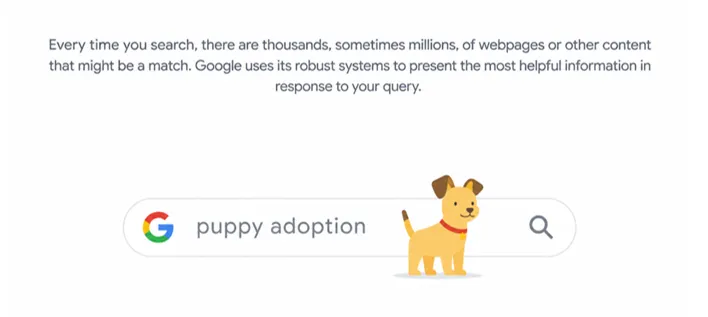
Search engines complete three main steps:
Here’s a closer look at each one.
Think of a search engine as a library that has to go out and collect every book before it can shelve a single one. To do that, search engines send out automated programs called web crawlers (sometimes called spiders) that travel across the web, following links from page to page, and this is known as crawling. Whenever they crawl the web is sent back to the search engine for the next step.
Once content is crawled, it needs a home. Indexing is equivalent to a librarian sorting, labeling, and shelving books so they can be found later. During this stage, the search engine’s algorithm scans and categorizes the content, storing it in a massive database it can pull from whenever someone searches.
Ranking is where everything comes together.
When a person types a query into Google or Bing, the search engine sorts through everything in its index and decides which pages best match what that specific person is looking for — factoring in things like their location, search history, and device.
Search engines weigh more than 200 signals when deciding what to show first. These signals aren’t all equally important, and they visit nearly every part of a website: website security, how trustworthy it seems, how well the content actually answers the question, and more.
Practicing SEO essentially means paying attention to as many of these signals as realistically possible — starting with the ones that matter most.
SEO works by optimizing a website to better match the ranking signals search engines rely on. That said, no serious SEO specialists try to chase all 200-plus factors at once. Instead, the smart move is focusing on the handful that move the needle most and align with your SEO goals.
These factors generally fall into three buckets:
Here’s a quick breakdown of what falls under each:
| SEO category | What it Actually Offers |
| On-page SEO |
|
| Off-page SEO |
|
| Technical SEO |
|
Search Engine optimization is important for some of the major reasons which are mentioned below:
SEO puts your website in front of people without the ongoing cost of paid ads or boosted social posts. That means you can show up right when someone is actively searching for what you offer.
SEO also helps you get specific about who you want to reach, whether that means targeting customers in the USA or connecting with people at different stages of the buying journey.
SEO doesn’t clock out. Your website keeps working around the clock, which means potential customers can find your business at 2 p.m. or 2 a.m. — whenever they happen to be searching.
People from different industries, from business-to-business (B2B) to business-to-consumer (B2C), use search engine optimization to bring more visitors to their websites, generate leads, and increase sales.
In short, SEO is important because it drives qualified visitors to your site — people who are already looking for what you offer
This chapter 2 will tell you about on-page optimization.
On-page SEO refers to optimizing the elements that live directly on your website, including:
On-page SEO is one of the key parts of SEO basics, so understanding how it works can help you make better changes to your website, especially if you plan to hire an SEO agency or do SEO yourself.
On-page SEO helps both search engines and real visitors do two things:
Without solid on-page SEO, ranking well — or ranking at all — becomes far harder.
On-page SEO is about improving the content and elements on your website so search engines can better understand your pages. It also helps visitors find the information they’re looking for more easily.
Use keyword research tools like Ahrefs, Semrush, or even Google’s own search bar to find terms your audience is actually searching for — ideally ones with decent search volume but manageable competition. Longer, more specific phrases (usually three or four words) tend to be easier to rank for and often convert better.

Your title tags are often the first thing a searcher sees, so it needs to earn the click. Look at what’s currently ranking for your target keyword to understand the format that’s working, then write your own version — keeping it at 60 characters or under while working in your keyword naturally.

Meta descriptions work similarly to title tags: study what’s already ranking, match the searcher’s intent, and include your target keyword. Keep the description under 150 characters so it doesn’t get cut off in search results.
Header tags
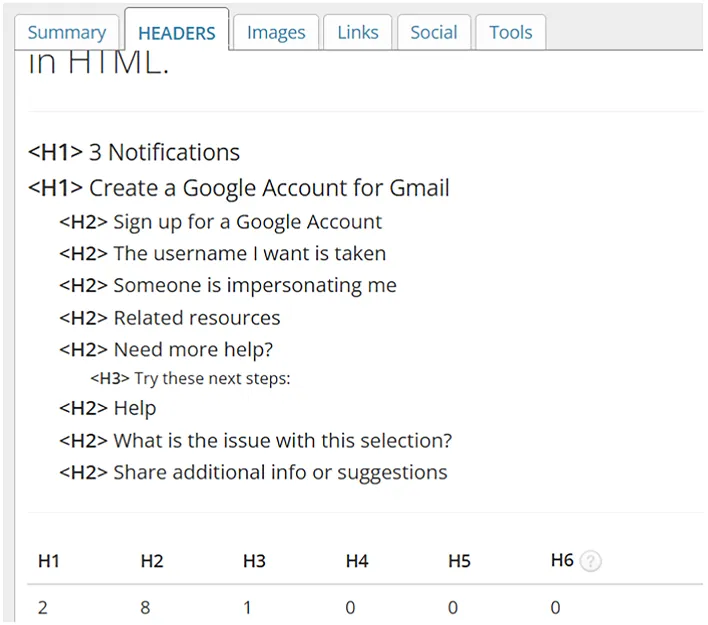
Your headers — H1, H2s, H3s, and so on — should reflect what top-ranking pages for your keyword are already covering. The best rank tracking tools can help you see who’s ranking well so you can study their approach. Use your headers to reinforce your target keyword while also helping readers scan for the information they need.
Images

Images make content easier to understand and more enjoyable to read. Give each one a short, descriptive file name and meaningful alt text, then compress the file size before uploading so it doesn’t slow down your page.
Internal links help both search engines and visitors move through your site logically. Make sure your most important pages are reachable from your main navigation or footer, and aim to give every page at least a few internal links from elsewhere on your site, using anchor text that describes what the link leads to.

Keep your URLs short, simple, and easy to understand. A clear site architecture helps group similar pages, such as /blog/ and /products/. Use hyphens between words and keep URL slugs short and descriptive.
Simple URLs are an important part of on-site SEO and on-page SEO. An on-page SEO guide or SEO resource library can help you learn more, while an SEO Checker can help find areas that need improvement.
In Chapter 3, you will learn which kind of content is SEO-friendly.
SEO content is any piece of content created to improve a website’s visibility in search results. There are many types of SEO content, which include:
Common content optimizations include using the right keywords, structuring the content properly, and making it easy to read.
So, why is content important for SEO? Good content helps your website show up in search results, bring in the right visitors, and give them useful information.
An important point to remember is that valuable content that connects with people can improve a website’s chances of ranking in search results. If your content doesn’t answer their questions or provide real value, it can hurt your rankings and may even be one reason your website doesn’t drive leads.
To make content that is liked by search engines as well as resonates with human you have to keep the following things in mind:
Talk to the people closest to your customers, such as sales reps, support staff, or your own community forums, to understand what questions people are actually asking. Then use keyword tools to find the best terms tied to those topics.

Search engines pay attention to experience, expertise, authority, and trust. Show all four by sharing real first-hand knowledge and honest opinions, and by highlighting credentials, years in the field, or other proof that supports what you’re saying, rather than relying on a confirmed Google ranking factor alone.
Look at what’s currently ranking for your target term and study how that content is organized — which questions get answered first, second, and so on. Structuring your content around real search intent, rather than guessing, makes a noticeable difference.

Most readers scan before they commit to reading. Make that easier with clear headers, short paragraphs (two or three lines is a safe target), bullet points, and light formatting like bold text, underlines, or italics to highlight key ideas.
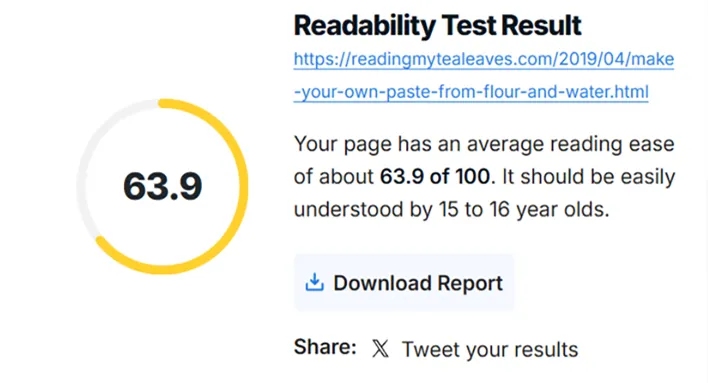
Run your writing through free tools like Grammarly or the Hemingway Editor before publishing. They’ll catch grammar and spelling errors and awkward phrasing, and point out places where your writing could be simplified for your specific audience. You can learn more about this in the content SEO guide.
Chapter 4 teaches you about the importance of off-page optimization and how to actually perform it.
Off-page SEO covers everything that builds your website’s reputation from outside your own domain. That includes earning quality backlinks, setting up and maintaining local listing sites, managing your online reviews, and taking part in relevant online communities.
Off-page SEO is important because it
Because it carries so much weight, off-page SEO deserves a spot on any serious SEO checklist.
There are several methods to do off-page optimization, which include content, outreach, brands, and local listings; this helps improve brand visibility and authority.
Publish original material, research-driven blog posts, useful tools- whatever fits your niche — that gives other sites a reason to link back to you. Without content that stands out, earning backlinks becomes an uphill battle.
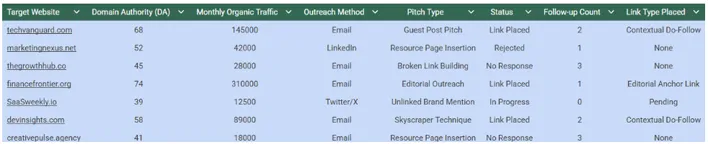
Reach out to relevant publishers, bloggers, and industry voices. Lead with value: offer to fix a broken link on their site, or pitch a content idea you’re willing to write yourself. Expect more no’s than yes’s, and that’s just part of the process.
Claim and fill out listings like Google Business Profile and Bing Places. Beyond the backlink, these listings signal to both search engines and users that your business is real and active.
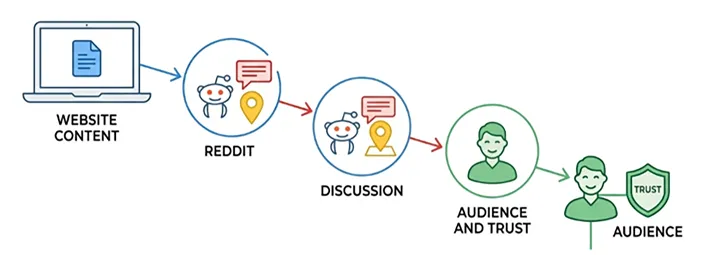
Show up where your audience already spends time — local listing platforms, Reddit threads, or niche forums — to build a reputation as a source people can trust. Steer clear of overt selling in these spaces; it tends to backfire and erode trust rather than build it. Know more about this in the off-page SEO guide.
SEO can be done technically; this helps improve your website’s structure. This helps Google read and fetch information from your website easily and can reflect your website in the search results.
Technical SEO deals with the backend elements of your website, which help Google to read and fetch information from website easily and can reflect your website in the search results. Technical optimization includes:
This side of SEO often involves working with developers and designers, as much of it depends on the site’s code and infrastructure, including website design & development services.
Technical SEO matters because it:
Getting the technical side right through effective technical SEO services can make the rest of your SEO work more effective.
To understand how to do technical optimization, you have to understand the tools that help in performing the same. There are tools for the work mentioned below, which tell you which tools are for which work.
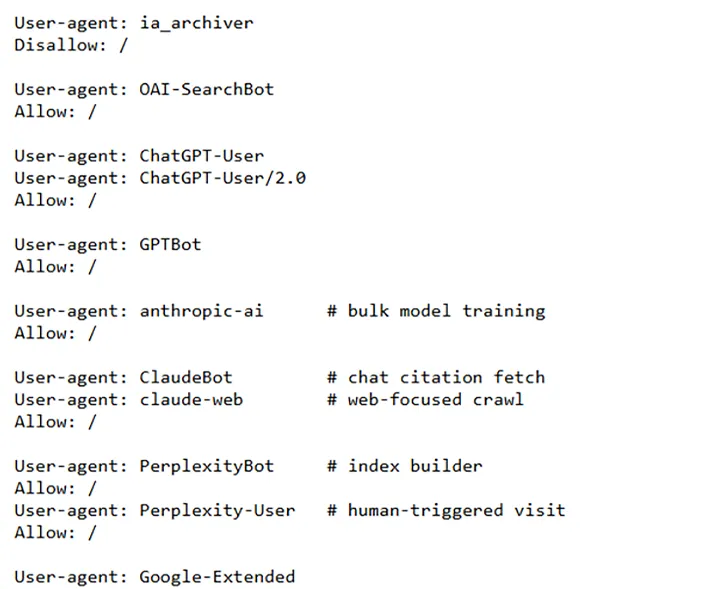
Your robots.txt file tells crawlers what they’re allowed to access on your site. A misconfigured file can accidentally block search engines from indexing your content, so it’s worth double-checking with a free testing tool.
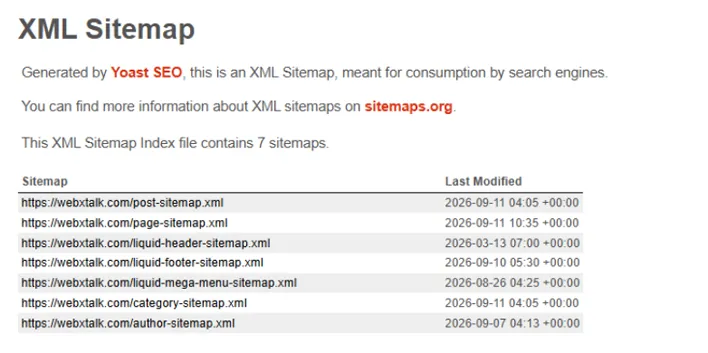
An XML sitemap acts as a roadmap for crawlers, helping them find and understand every page on your site. Free tools like Yoast SEO can generate one automatically. Once it’s ready, submit it to Google Search Console and Bing Webmaster Tools.
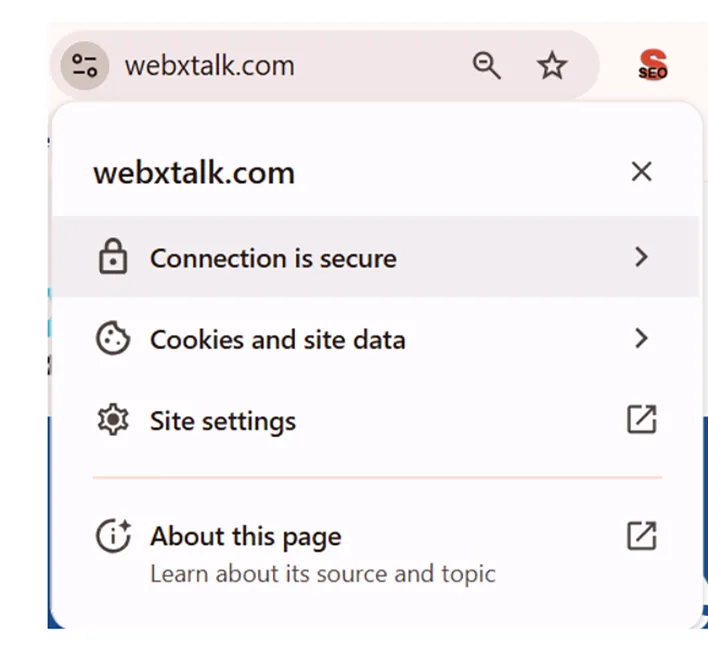
Secure your site with an SSL certificate and move from HTTP to HTTPS if you haven’t already. Follow official migration guidance closely, since a poorly handled switch can temporarily hurt your rankings.
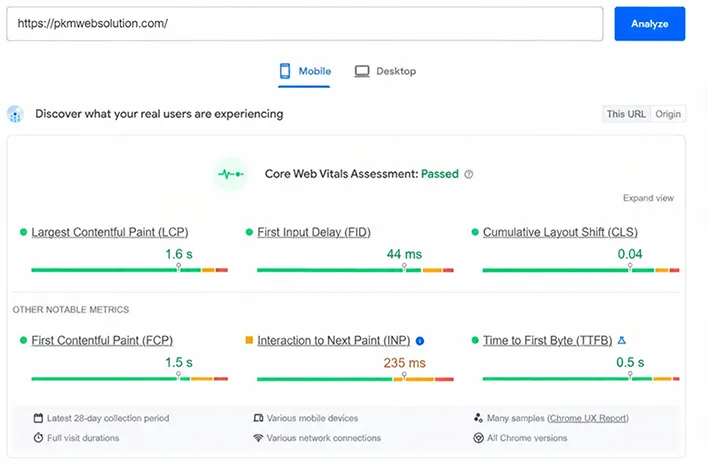
A slow website can frustrate visitors and hurt your search performance. Compress images, clean up your code, enable browser caching, and use a content delivery network when needed to improve load times. Google’s PageSpeed Insights tool can also help you find specific issues that may be slowing your site down.
Beyond speed, focus on the site’s accessibility and usability — things like sufficient color contrast between text and backgrounds, and a design that adapts smoothly across desktop, tablet, and mobile.
Structured data (schema markup) gives search engines more context about your content, such as reviews, prices, and event dates. Add structured data to relevant URLs, then use Google’s Structured Data Markup Helper and Rich Results Test to create and check your markup.
This chapter 6 will teach you know about the searches “near me” are optimized by local SEO.
Local SEO focuses on improving visibility for searches tied to a specific location — both for your website and for listings like your Google Business Profile.
Common local SEO tasks include:
Local SEO is important as helps people find exactly what they need nearby — whether that’s an emergency repair service, a highly rated restaurant, or a fun weekend activity for the family.
For businesses, strong local SEO can:
Even businesses that serve customers nationally or globally benefit from local SEO — a well-maintained listing with reviews, photos, and accurate details builds trust and proves you’re a legitimate operation.
This simple it sounds effective it works. By just updating search engines in a way that attracts customers near your locality, is all done by the local SEO.
Your name, address, and phone number (NAP) help search engines understand where your business operates and how customers can reach it.
People rely on this same information for things like:
Make sure your NAP shows up in a few key places:
Adding your business hours alongside your NAP is a smart move too.
Start with the essentials:
From there, consider additional local listing sites depending on your industry, such as:
Keep in mind that every new listing is one more thing to keep updated.
That’s why many businesses, especially those with several locations, are turning to listing management software, which lets you push updates like new hours across every platform at once.
Some examples of these tools include:
Keep your local profiles updated with accurate business information, respond to reviews, and share offers when relevant. This can help your business stay visible in local search and make it easier for customers to connect with you.
Reviews play a major role in how people decide who to trust.
Whether someone’s planning a family outing or comparing quotes for a home project, they’re almost always checking reviews first.
People find reviews in a few common places:
Generating reviews takes effort across your whole team. Marketing, customer service, and the product or service itself all play a role in attracting online reviews. Some practical ways to encourage more reviews are mentioned below.
Just be careful — platforms like Google Business Profile prohibit offering incentives (like discounts or giveaway entries) in exchange for reviews.
Localized keywords combine typical search intent with a specific place, such as:
These work the same way standard keywords do, just narrowed to a specific area — someone isn’t searching for water parks in general, they want one close to them.
One common mistake with local content: creating near-identical pages for each service area, changing only the city name. Search engines pick up on that pattern quickly, and it rarely performs well.
To avoid it, make each location page genuinely unique by:
SEO with AI a modern way to rank on search engines but how, this you will learn in chapter 7.
AI SEO (also called answer engine optimization) focuses on improving your visibility inside AI-powered tools like:
Effective strategies usually focus on:
AI SEO matters because more people are turning to AI tools as their first stop for information. 1 in 10 U.S. users now use AI for search, making AI-assisted search one of the major SEO trends the industry is watching.
Brands that start optimizing for AI search now are positioning themselves ahead of competitors who haven’t caught on yet. And since strong traditional SEO is often a prerequisite for showing up in AI answers, the two strategies reinforce each other.
Here’s where to start.
Sites with strong, established SEO tend to get referenced by AI tools far more often than sites without it. That makes traditional SEO the foundation you’ll want in place before focusing heavily on AI-specific tactics.
Generic, surface-level content doesn’t hold up well in AI search. People turn to AI tools expecting answers tailored to their exact situation, and these tools tend to favor content with real depth.
Make your content more valuable by:
The same fundamentals apply here as elsewhere — clear headers, short paragraphs, useful lists, and naturally placed keywords throughout.
This step leans on work you’re likely already doing elsewhere:
If you’ve already worked through those chapters, you’re ahead of the curve here too.
For a closer look at AI search, check out our AI SEO guide.
Chapter 8 will teach you about why SEO analytics are important; if not this, then what?
SEO analytics is the practice of tracking and measuring how your SEO efforts are actually performing. Google Search Console and Google Analytics 4 are free, widely used SEO analytics tools for monitoring relevant metrics like rankings, traffic, and conversions.
Tracking your SEO performance matters because it:
SEO Analytics tells you what’s working, what isn’t, and what deserves more attention — and it gives you the proof you need to prove the value of SEO to leadership.
Here’s how to approach it.
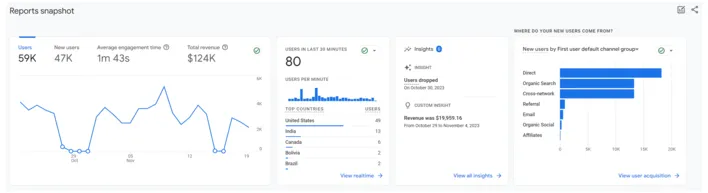
Google Search Console and Google Analytics 4 cover most of what you need. Search Console shows you rankings, impressions, and clicks, while Analytics 4 covers broader user behavior — things like bounce rate and time spent on page.
Choose the most relevant metrics that show real business results instead of focusing on vanity numbers. Leads and sales from organic traffic tell you much more about SEO performance than page views alone.

Set clear SEO goals based on what your tools are already telling you. Talk to stakeholders about what they want from SEO, then translate that into specific, measurable, and realistic targets.
Review your performance on a regular schedule — remembering that SEO typically takes three to six months to show real results. Watch for trends and account for seasonal shifts as you figure out what’s working and where to adjust.
If you’re new to SEO, learn more about tracking and measuring your results with our SEO analytics guide.
Ready to put all of this into action? Here’s a simple starting point:
Once you’ve got the basics down, apply what you’ve learned and start tracking your progress with the tools above.
Now that you’ve covered the SEO basics, it’s time to put them to work on your website. Start with the areas you can manage yourself, such as improving your content, optimizing important pages, fixing basic technical issues, and keeping an eye on your search performance. Even small changes can make a difference when you apply them consistently.
If you want to take your SEO efforts further, professional SEO services can help with deeper website audits, keyword research, content optimization, technical SEO, and a strategy built around your business goals. This can be especially useful when SEO starts taking more time or becomes harder to manage on your own.
Whether you handle SEO yourself or get expert support, the important thing is to keep improving your website and giving search engines and visitors a better experience.
ting the right kind of traffic to your site.
Writers

Amit Mishra
CEO & Digital Marketing Expert
Dive Deeper


Webxtalk
Based on 103 reviews
Get A Free Proposal
We just need a few details to begin.

 Yes, I Want Growth