
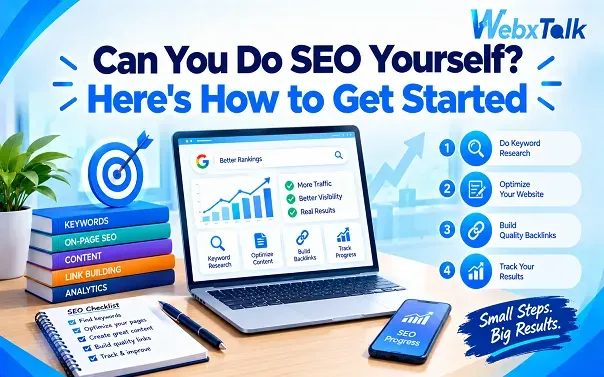
Can You Do SEO Yourself? Here’s How to Get Started
Yes, you can do SEO yourself. You don’t need to be an SEO expert or hire an agency before you can start improving your website’s visibility in search.
The basics are fairly manageable. You can research keywords, improve existing pages, create useful content, fix common technical issues, build internal links, and track what is happening in Google. The bigger challenge is knowing what deserves your attention first and what can wait.
This SEO guide walks through a practical way to get started without trying to learn every part of SEO at once.
Can You Really Do SEO Yourself?
For a small business, personal website, blog, or relatively simple online store, DIY SEO is realistic. A lot of the work comes down to understanding what people search for and making your website more useful and easier for search engines to understand.
You don’t need to know how Google’s entire ranking system works. You need to understand the basics well enough to look at a page and ask sensible questions: Does it answer the searcher’s question? Can Google find it? Is the page easy to use? Does it offer something useful compared with the other results?
Sometimes that isn’t the case. The problems of a large ecommerce site, a site with severe technical issues or a major website migration may be challenging to deal with without the proper expertise. In such instances, the time involved in doing it all on your own may be more than it’s worth.
The upside is, you don’t have to either do everything on your own or give everything to an agency. You can do the work that you know how to do, but seek assistance when you come across something more complex.
Start by Looking at Your Own Website
Before you start finding new keywords or publishing content, take a look at what you already have. Open the website on your phone and browse through the main pages as if you’re a first-time visitor. Then search for the business on Google and check whether the pages appearing in the results are actually the ones you want customers to see. If you have Google Search Console, use it to check which searches bring up your pages, how many clicks they get, and which pages Google has found.
As you review the site, look for:
- Important pages that aren’t indexed
- Outdated or thin content
- Broken links or missing pages
- Slow-loading pages
- Poor mobile experience
- Confusing navigation
- Pages that don’t match a useful search
- Duplicate or unnecessary pages
This gives you a clear list of what needs attention before you start making bigger SEO changes.
Find the Searches That Matter to Your Business
Once you understand the current state of the website, move on to keyword research. You don’t need thousands of keywords to begin. A small list of relevant searches is enough to start making useful decisions.
Think about the questions and problems your customers have. What would they type into Google before buying from you? What would they search when they don’t know exactly what product or service they need?
For example, a company selling home security systems might find searches such as “home security system,” “security cameras for home,” “best security system for apartment,” or “how to secure a house.”
These searches have different intentions. Someone searching for information may not be ready to buy, while someone looking for a provider in their area may be much closer to taking action.
That is why keyword research isn’t just about search volume. You also need to look at search intent, competition, and whether the search is actually relevant to what you offer.
If you want to go deeper, a keyword research guide can help you understand how to find, group, and prioritize keywords instead of choosing them randomly.
One useful habit is to search the keyword yourself before creating a page. Look at the results Google shows. If the first page is filled with product pages, don’t assume a 2,000-word informational article is automatically the right format. Give people the type of page they are actually looking for.
Improve the Pages You Already Have
New content can help, but don’t assume every SEO problem requires another blog post. Often, the pages already getting impressions have more potential than a brand-new page.
Start with your important service, product, category, or landing pages. Check the title, main heading, content, URL, images, and internal links. Make sure the page explains the topic clearly and gives the visitor a reason to continue.
Your keyword should appear naturally where it makes sense. There is no need to repeat the same phrase in every paragraph.
The meta description also deserves attention. It doesn’t guarantee higher rankings, but a clear description can help a searcher understand what the page offers before clicking. Write it for the person who sees it in the search results, not as a place to stuff extra keywords.
The same applies to headings. Use them to make the page easier to understand rather than forcing a keyword into every H2.
A useful question to ask is: If I were the person searching for this, would this page actually help me?
If the answer is no, adding another keyword probably won’t solve the problem.
Create Content Around Real Questions
After improving the important pages, look for topics where your website can provide useful information.
Customer questions are a good place to start. Sales calls, emails, support conversations, reviews, forums, and conversations with customers can all reveal things people want to know before they buy.
Suppose you run a roofing company. Instead of publishing generic posts every week, you could answer questions such as how to tell whether a roof needs repair, how often a roof should be inspected, what causes roof leaks, or what to do after storm damage.
Before writing, search the topic yourself. Look at the pages already ranking and figure out what they cover. Then look for ways to make your version more useful, clearer, or more specific.
Don’t copy the same structure just because another page ranks well. If five competitors explain the same basic points, there may be an opportunity to answer the question more directly or add information they have missed.
This is also where updating older content can help. If an article has useful information but hasn’t been touched in years, check whether the examples, facts, links, and recommendations are still relevant before creating something completely new.
Don’t Ignore the Technical Side
Technical SEO can sound complicated, but you don’t need to become a developer to handle the basics.
Start with web crawling and indexing. Search engines need to be able to discover your important pages and understand that they should be included in their search index.
Google Search Console can help you find indexing problems. Check whether important URLs are indexed and investigate pages that aren’t appearing when they should.
There are other basic checks worth making too:
- Make sure the site uses HTTPS.
- Check that important pages work on mobile.
- Fix broken internal links.
- Keep the XML sitemap updated.
- Make sure important pages aren’t accidentally blocked from search engines.
- Check pages that return errors.
- Improve pages that load unusually slowly.
Website security is part of running a reliable website too, so don’t treat HTTPS as something you only need for SEO.
You may also come across discussions about indexing Google vs Bing. The basic principle is similar: both search engines need to discover, crawl, and understand your pages, but their tools and systems aren’t identical. For most businesses, it’s more useful to make sure the website is technically sound rather than obsessing over tiny differences between search engines.
If you find a technical issue you don’t understand, don’t randomly change code or settings just because an SEO tool flagged something. Some technical fixes can affect the whole website.
Build Internal Links Before Chasing Backlinks
Internal linking is one of the easier SEO tasks you can control yourself.
If you have an article about choosing running shoes, for example, you might link to your running shoe product category, a related guide, or another useful article. These links help visitors move around the site and give search engines more context about how your pages are related.
Use descriptive anchor text and link where it genuinely helps the reader. You don’t need to add five links to every paragraph.
Backlinks are harder because they depend on other websites deciding to link to yours. You can earn them by publishing useful resources, creating original research, building industry relationships, getting listed in relevant places, or promoting content that people have a reason to reference.
Be careful with cheap backlink packages promising hundreds of links. More links do not automatically mean better SEO, especially when those links come from irrelevant or low-quality websites.
You Don’t Need Every SEO Tool
It is easy to think you need an expensive SEO platform before you can start.
You don’t.
Google Search Console should be one of the first tools you learn. Google Analytics can help you understand what people do after reaching your site. Google Keyword Planner and Google Trends can also help with basic research, while PageSpeed Insights can help you check page performance.
Start with a few tools and actually learn what the information means.
Paid tools can become useful when you need deeper keyword research, competitor analysis, rank tracking, backlink data, or larger-scale site audits. But buying a subscription won’t tell you what to do with the information if you don’t understand the basics.
If you’ve already worked through the basic checks but still can’t figure out why important pages aren’t getting traffic, this is where a deeper SEO review can be useful. Webxtalk can help businesses look at the technical, content, and search side of a website when basic DIY checks aren’t enough.
How Do You Know If Your SEO Is Working?
Don’t measure everything by rankings.
A page moving from position 70 to position 30 is progress, but that doesn’t necessarily mean it is bringing useful visitors yet. Look at the bigger picture.
Keep an eye on:
- Organic clicks
- Search impressions
- Important keywords
- Pages receiving organic traffic
- Indexed pages
- Leads, enquiries, sales, or other conversions
- Changes in traffic to important pages
Search Console can show you how your pages are performing in Google Search, while Analytics can help you understand what happens after someone arrives.
It’s also worth keeping a simple record of major changes. If you update an important page, note what you changed and when. Otherwise, months later, it becomes difficult to work out what actually helped.
How Long Does DIY SEO Take?
DIY SEO has no set time frame. Progress will be quicker depending on the site, competition, and work to be completed. A new site might be slower to become visible, whereas a mature site that already has valuable content might experience a shift a bit earlier, particularly if it boosts its pages that already receive impressions.
Understanding SEO is another. Knowing SEO is something different. Understanding what to alter when a page isn’t ranking is another. You do not know if it is the content, the page or something else that creates the problem.
So, don’t expect immediate results if you change something on Monday. Wait, monitor the information, and reflect on the outcomes over a more extended period of time, and then determine what worked.
Common DIY SEO Mistakes to Avoid
When you’re doing SEO yourself, it’s easy to spend time on things that look important but don’t really move the needle. Many beginners get stuck chasing high-volume keywords, making constant changes, or trying to fix technical issues they don’t fully understand.
A few mistakes come up again and again:
- Picking a keyword just because it gets lots of searches
- Forcing the same keyword into every paragraph
- Writing without first checking what Google shows for the search
- Overlooking pages that are already bringing traffic
- Paying for low-quality backlinks
- Making technical changes without knowing what they affect
- Creating several pages that compete for the same keyword
- Checking rankings constantly and changing the plan too soon
- Publishing content and never going back to improve it
Search is changing, and concepts such as HEO, AEO, and GEO are getting more attention. They are worth understanding, but the basics still matter. A website needs useful information, clear pages, good technical foundations, and content that genuinely answers what people are looking for.
If you’re wondering how to rank on AEO or appear in AI-generated search experiences, start with the same foundation rather than treating these as completely separate versions of SEO.
When Should You Stop Doing SEO Yourself?
DIY SEO can work well when your website is small, manageable, and you have time to learn. But as things grow, handling SEO alone can become difficult. If your site has thousands of pages, traffic suddenly drops, a migration is coming up, or technical issues are beyond your knowledge, getting professional help can save you a lot of time. The same is true when SEO starts taking you away from running your actual business.
You also do not have to hand over everything. Keep writing content and handling the basic on-page work if you are comfortable with it, while bringing in an expert for technical issues or bigger strategy decisions. The goal of doing SEO yourself is not to become an expert in every area. It is to understand what you can manage, make useful improvements, and recognize when a problem needs someone with more experience.
Final Thoughts
SEO is an effective thing that you can easily do on your own, particularly if your site is still small, and you are willing to put in the effort to learn a new skill. Get the fundamentals right – know what kinds of search queries your audience is making, optimize key web pages, fix common website problems, and continue to create helpful content. It is not necessary to tackle all the advanced SEO issues right away.
The more important question is whether you will have time to continue and maintain it as your site expands. It can be more difficult to manage SEO for hundreds of pages, technical issues or even a decrease in traffic. From then on, it may be time-saving to seek the assistance of a professional and concentrate on running your business.
FAQs
Can you do SEO yourself without hiring an agency?
You can handle a lot of SEO work yourself, including keyword research, content updates, on-page optimization, and internal linking. It becomes harder when the website is large or the problems are more technical.
Is SEO difficult to learn?
The basics are fairly easy to pick up. The real challenge is knowing what is hurting a website and which changes are actually worth making.
Can you do SEO without coding?
Yes. Most beginner SEO tasks do not require coding. Technical issues involving things like site speed, structured data, or website errors may need developer support.
Can you do SEO for free?
You can get started with free tools such as Google Search Console, Google Analytics, Google Trends, and PageSpeed Insights. For beginners, the bigger investment is usually time rather than money.
How much does it cost to do SEO yourself?
DIY SEO can cost almost nothing when you use free tools and handle the work yourself. Paid software, content, development, or expert help can be added later as your needs grow.
How long does it take to learn SEO?
You can learn the fundamentals fairly quickly, but getting good at SEO takes hands-on practice. Working on a real website and studying the results is one of the most useful ways to improve.
Is SEO still worth it in 2026?
SEO still matters, although search has changed. Google results now sit alongside AI answers, videos, forums, local listings, and other platforms, so businesses need useful content and a strong website rather than relying on traditional rankings alone.



 Yes, I Want Growth