
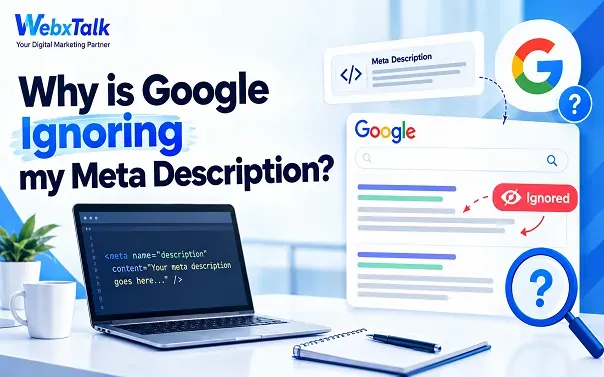
Why is Google Ignoring my Meta Description?
You spend time writing a meta description that sounds right, includes your main keyword, and fits the recommended length. Everything looks fine until you search for your page on Google. Instead of the description you wrote, Google is showing a completely different sentence from somewhere on the page. So, why is this happening?
Before you start changing everything, there’s nothing necessarily wrong with your page. Google does not have to show the exact meta description you provide. It may choose another part of your content if it feels that text answers the search more clearly. This can even happen when your description is well-written.
So, should you still bother writing one? Absolutely. A good description gives people a quick idea of what they will find on your page and can make your result more appealing to click. The trick is to write it for the actual search intent, not just to fit in keywords. Let’s look at why Google rewrites descriptions and what you can do about it.
What is a Meta Description?
A meta description is a short summary of a webpage that can appear below the page title in Google’s search results.
For example, if you have a page about website security, your description might say:
Learn how to secure your website, protect against common threats, and follow simple security practices to keep your site safer.
The idea is simple. Someone sees your title and then reads the description to get a little more context before deciding whether to click.
But there is an important catch.
Google does not always use the description you write. It can take text directly from the page and use that as the search snippet instead. Google says it generally creates snippets from the content on the page, using the meta description when it thinks that provides a better summary.
So if you have ever wondered, “What is a meta description in Google search?” think of it as the description you provide for Google to potentially show searchers, not text you can force Google to display.
Why Is Google Ignoring My Meta Description?
Google may not be ignoring your meta description at all. It can choose different text from your page when that text better matches what someone searched for. Here are some common reasons this happens:
Description Does Not Match Search Intent
Your meta description should match what the searcher wants to find. If someone searches “how to clean running shoes,” the description should make it clear that the page provides cleaning instructions.
Too Generic
Avoid descriptions that could fit almost any business or page. Tell readers what the page actually covers instead of using broad lines like “learn more about our services.”
Similar Description on Multiple Pages
Each page should have a description that relates to its specific content. A product page, for example, should describe that product rather than use the same generic description as every other product page.
Your Description Is Stuffed With Keywords
Adding the same keyword again and again does not make a description better. Keep the wording natural and use keywords only where they fit the sentence.
Too Short and Too Long
There is no fixed character limit for meta descriptions. Keep yours concise, put the important information first, and avoid worrying about hitting an exact character count.
Google Finds a Better Sentence on Your Page
Google may choose another sentence from your page if it better answers a particular search. So, seeing a different snippet does not necessarily mean there is a problem with your meta description.
Does Meta Description Help SEO?
Yes, but it is not a direct ranking factor. A meta description does not improve rankings by itself, but it can help people understand your page and decide whether to click on the page or not.
For example, someone searches “best SEO services for small businesses.” One result says, “Learn more about our services and grow your business online.” Another says, “Compare SEO services for small businesses, including local SEO, content, and keyword research.” The second result tells the searcher exactly what to expect, making it more useful and potentially more appealing to click.
What Makes a Meta Description Useful?
A good meta description should give a quick idea of what the page offers and why it may be worth visiting. It should be clear, relevant to the page, and written for people rather than just search engines.
There is also no guarantee that Google will always show the description you write. Google may replace it with text from the page if that part better matches a particular search. That’s why the focus should not be on controlling the exact snippet Google displays.
Instead, write a clear meta description, make sure it matches the page, and keep the actual content useful and relevant to what people are searching for.
How to Write a Meta Description
People think of writing a meta description from the content, but they actually don’t know it is kind of like a hidden CTA which aim to make the user click on the blog or article. A good meta description should give readers a quick idea of what they will find on the page. So, instead of just stuffing it with keywords, focus on making it something that is useful, clear, and resonates with the reader.
What Should Included in a Meta Description?
Give a description of the page and what they will find when they click on it. Use short text and use your primary keyword if appropriate. If the page is on “local SEO,” for instance, you could write: “Apply these practical SEO tips to boost local visibility for your business to reach more local customers. A guide can briefly outline what a reader will find, and a service page can briefly tell what a service provides.
If it will fit on the page, you can also add a short call to action, like “Learn more,” “Explore the SEO guide,” or “Get started. Aim to have each description stand alone and not repeated on several pages. The aim is to enable another person to perceive the content of the page and its relevance in a very brief time.
How Long Should a Meta Description Be?
There is no fixed character limit that guarantees Google will show your description exactly as written. A practical target is around 120 to 156 characters, but the focus should be on clarity rather than hitting a specific number.
Keep the important information toward the beginning and cut anything that does not add value. A good description should sound natural, match the search intent, and give people a clear reason to visit the page.
Step-by-Step Process to Write Meta Descriptions
Writing a meta description is pretty simple once you know what the page is about and what people are searching for. Follow these steps to create one that is clear, useful, and relevant.
Step 1: Understand the Page
Start by reading the page and figuring out its main purpose. Ask yourself what the page helps people do, what question it answers, and what information they will find.
Step 2: Check the Search Intent
Think about what someone expects to find when they search for your target keyword. For example, a page about technical SEO should mention topics such as crawling, indexing, redirects, or site speed if those are covered on the page.
Step 3: Write a Short Summary
Turn the main idea of the page into one clear sentence. For example:
Learn how technical SEO affects crawling, indexing, site speed, redirects, and how search engines access your website. Keep the wording natural instead of trying to fit every possible keyword into the description.
Step 4: Add It to the Page
Add the description through your SEO plugin if you’re using WordPress. Other CMS platforms have similar SEO settings. If you’re working directly with HTML, add it as a meta tag in the page’s <head> section.
Step 5: Check Your Page
After saving or publishing, check the live page to make sure the description has been added correctly. This is especially useful on websites using multiple plugins or custom templates.
Step 6: Give Google Time to Recrawl
Google needs to crawl the updated page before the new description can appear in search results. You can request a recrawl through Google Search Console’s URL Inspection tool, but Google may still choose different text for the snippet based on the search.
How to Update Meta Description on Google
You create a “Meta description”, populate your keyword, then verify the length and publish your page. Then you go looking for it on Google and find a completely different description. So, why is Google displaying something else?
The short answer is, Google will not always use the description you’ve supplied. Google might select another area of your page if that’s more relevant to what someone was searching for. That doesn’t always mean that your meta description is incorrect.
However, writing a great meta description is worthwhile. It provides information about your page and can make them want to click. To keep it clear, specific, and tightly aligned with the search intent.
Common Mistakes
Writing a meta description is simple, but some silly mistakes make it complex and hard for Google to understand.
- Using the same description on different pages
Every important page has something different to say. Your service page, product page, and blog post should reflect that instead of sharing one generic description. - Repeating the keyword too much
There is no need to squeeze the same keyword into every part of the sentence. Once it fits naturally, move on. A description should read like normal text, not a list of keywords. - Being too vague
“Learn more about our services” could describe almost any page. Give the reader a better idea of what they will actually find when they click. - Forgetting what the searcher wants
Before writing, think about the reason behind the search. Someone looking for “how to write a meta description” probably wants practical advice, not a sales message. - Describing something the page does not offer
The description should give an accurate preview of the page. If the snippet promises a guide, pricing details, or a solution that is not actually there, the visitor may click and leave. - Turning every description into a sales pitch
Some pages are meant to sell, while others are simply there to answer a question. A straightforward description can work better than filling every line with words like “best,” “affordable,” or “expert.” - Obsessing over length and forgetting older pages
The character count is useful as a rough guide, but it should not make the sentence awkward. And when you update an old page, take another look at its description. It may no longer match the content.
FAQs
Why does Google show a different meta description?
Google may create a snippet from the content on your page when it believes that text better matches the search. The snippet can also change depending on the search query.
Can I force Google to use my meta description?
No. You can write a relevant and useful description, but Google makes the final decision about what appears in the search snippet.
Does Google use meta descriptions as a ranking factor?
No. A meta description is not a direct Google ranking factor. Its main purpose is to describe the page and help searchers decide whether the result is relevant.
Should my keyword be in the meta description?
It can be useful to include the main keyword naturally, especially when it accurately describes the page. But don’t repeat it just to make the description look more optimized.
How often should I change my meta descriptions?
There is no fixed schedule. Change one when the page changes, the description no longer represents the content, or you notice that it is too vague or mismatched with the page’s search intent.
Why is Google showing text from the middle of my page?
Google can select text from different parts of a page when it believes that section gives the searcher a more relevant answer. This is especially common when the page can answer several related queries.
What happens if I don’t write a meta description?
Google can create a snippet from your page content. A missing description does not mean the page cannot appear in search, but important pages generally benefit from having a clear, relevant description available.
Final Thoughts
If Google is ignoring your meta description, don’t immediately assume that something is wrong. Google can rewrite snippets when another part of your page appears more relevant to a particular search. Your job is to give it a strong starting point: write a clear, unique description, match the search intent, avoid keyword stuffing, and make sure the page actually delivers what the description promises.
Meta descriptions are only one small part of SEO, but they are still worth getting right. If you are already working on content, technical SEO, and search visibility and want help bringing those pieces together, Webxtalk can help you build a more complete SEO strategy rather than focusing on metadata alone.




 Yes, I Want Growth