
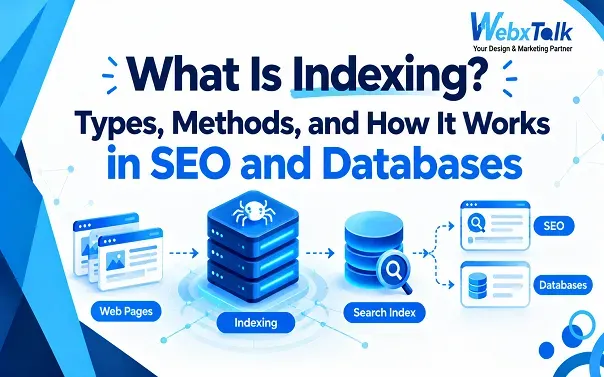
What Is Indexing? Types, Methods, and How It Works in SEO and Databases
Publishing a webpage is only the first step. Before it can show up in Google, search engines need to find the page, understand its content, and decide whether to store it. Finding the page is called crawling. Processing and storing it is called indexing.
Indexing also has an important meaning in databases, where it helps a system find specific records without checking every row.
SEO indexing and database indexing serve different purposes, but they share one idea: organize information so it can be found quickly.
What is Indexing?
Indexing is the process of organizing and storing information so it can be found more easily when needed.
In SEO, indexing happens when a search engine processes a webpage and stores information about it in its index. If Google decides that a page meets its requirements for inclusion, that page can potentially appear in search results when someone searches for relevant information.
This is one part of how search engines work. Search engines first need to discover pages through crawling. They then process and evaluate those pages before deciding what information to keep in their index.
Indexing does not mean that a page will automatically rank well. A page can be indexed but appear on the tenth page of search results, while another indexed page may rank near the top for a relevant query.
That is because indexing and ranking are separate processes.
What Is an Example of Indexing?
Think about the index at the back of a textbook. Instead of reading the entire book every time you want to find a particular topic, you can check the index, find the relevant page number, and go directly there.
Search engines work with a similar basic idea.
Google processes information from webpages and organizes it in a huge search index. When someone searches for something, Google’s systems can use that stored information to find relevant pages rather than starting from the entire web again.
There is another simple example in everyday digital life. Your phone’s contact list is organized so you can quickly find a person’s name and number. The system doesn’t need to treat every contact as an equally difficult search.
The exact technology is different, but the purpose is similar: make stored information easier to find.
How Does Indexing Work in SEO?
Before a page can be indexed, a web crawler such as Googlebot needs to find and access it. The three steps are easy to separate:
- Crawling is about discovering and accessing a page.
- Indexing is about processing and storing information about that page.
- Ranking determines where an eligible page may appear for a particular search.
For example, when you publish a new SEO blog, internal links and an XML sitemap can help Google discover the URL. Google then processes the page and decides whether to add it to its index.
This is where Technical SEO matters. Issues such as noindex tags, blocked pages, broken links, duplicate URLs, or server errors can affect indexing. Webxtalk can check these areas during an SEO audit.
Indexing also connects with newer search approaches such as AEO and GEO, although being indexed by Google does not guarantee that content will appear in an AI-generated answer.
How to Do Indexing in SEO? How Do I Index My Website?
You cannot simply press a button and guarantee that Google will index every page. However, you can make it easier for search engines to discover and process important URLs.
Here are some practical steps.
- Create and submit an XML sitemap
An XML sitemap lists important URLs on your website. Submitting it through Google Search Console can help Google discover pages it may not have found easily through internal links.
A sitemap is particularly useful for large websites, new websites, and sites with complex structures.
- Build useful internal links
Internal links connect one page on your website to another. They give search engines additional paths for discovering URLs and also help users move through related content.
For example, an article about indexing might naturally link to a guide explaining technical SEO if the reader needs more information about crawlability or indexing problems.
- Check your robots.txt file
Your robots.txt file can tell compliant crawlers which parts of your site they should or should not crawl.
An incorrectly configured file can create crawling problems, so it is worth checking whenever important pages aren’t being discovered.
- Check for noindex directives
A page with a noindex directive is telling search engines not to include that page in their index.
If an important page has accidentally been given a noindex instruction, fixing it may be necessary before the page can become eligible for indexing.
- Make sure the page works properly
A page that returns server errors, has serious technical problems, or depends on resources that search engines cannot access may be difficult to process.
Check important pages regularly, especially after website migrations or major technical changes.
- Use Google Search Console
Google Search Console can help you inspect individual URLs and identify indexing-related issues.
The goal isn’t to request indexing for every URL repeatedly. It is better to understand why an important page isn’t being indexed and fix the underlying problem.
How Does Indexing Work in Databases? Why Use Indexing in SQL?
Database indexing is different from SEO indexing. In a database with millions of records, finding a customer by email could require checking every row. An index gives the database a faster way to find that record.
For example, a customers table may include:
- Customer ID
- Name
- Phone number
- Location
An index makes it easier for a database to find information, but too many indexes can increase space usage; what you need to do is just put SEO indexing. It structures Web pages for search engines and database indexing speeds the retrieval of information stored in a database.
What Are the Types of Indexing?
The types of indexing depend on whether you are discussing SEO or databases.
Types of Indexing in SEO
In SEO, pages can be indexed or excluded based on factors such as technical directives, duplicate content, accessibility, and overall quality. The main goal is simple: important pages should be discoverable, accessible, useful, and eligible for indexing.
Types of Database Indexes
Databases use different index structures depending on how data is stored and searched.
Clustered indexes organize table data around the index structure, while non-clustered indexes use a separate structure to point to the relevant records. Some databases also offer specialized indexes for specific types of data and queries.
The right index depends on the database, data size, search patterns, and how often records are updated.
What Are the Methods of Indexing?
There isn’t one universal indexing method because SEO and databases use indexing in different ways.
For websites, several practices can help search engines discover and process content.
- XML sitemaps provide a list of important URLs.
- Internal linking creates paths between related pages.
- Robots.txt management helps communicate which areas crawlers should avoid.
- Noindex controls help prevent selected pages from being included in search indexes when appropriate.
- Canonical tags can help search engines understand which version of similar or duplicate URLs should be treated as the preferred one.
These aren’t methods of “forcing” Google to index a page. They help create a website that search engines can crawl and understand more efficiently.
In databases, indexing methods depend heavily on the database engine and the type of queries being performed.
Common approaches include indexes based on ordered data structures, hash-based indexing, and specialized structures for particular types of searches.
The important principle is the same: choose an index based on how information needs to be found.
What Are the Disadvantages of Indexing?
While indexing can be useful, it’s not the best approach in all cases. In SEO, a large website may end up with many unneeded URLs from variations of search results, duplicate pages, filters, or other variations. This can lead to index bloat and complicate the way that pages are displayed in search. It is better to concentrate on pages that have some value, and exclude the ones that have none.
The same problem exists with databases. Indexes require additional storage and must be updated upon changes to the data. More is not necessarily better, as too many can cause updates to take longer. Either way, the idea is straightforward: To index the information that needs to be discovered.
Why Is Indexing So Important?
- Helps search engines organize information: Indexing allows search engines to store and find relevant webpages when people search.
- Supports organic visibility: If an important page is not indexed, it generally cannot appear in Google’s regular search results.
- Keeps SEO content useful: Publishing hundreds of pages is not always helpful. Duplicate, thin, outdated, or unnecessary pages can create problems, so SEO content should have a clear purpose.
- Improves database searches: Proper indexes can help databases find frequently searched information faster, while too many indexes can use extra storage and slow updates.
- Supports better SEO planning: A good SEO Content Guide should explain not only keywords and rankings, but also how content is discovered, crawled, and indexed.
How to Perform Indexing? A Step-by-Step Overview
Because SEO indexing and database indexing are different processes, the steps depend on what you’re working with.
For a Website
Step 1: Publish a useful page
Make sure the page provides a clear reason for existing and answers a specific need.
Step 2: Check accessibility
Make sure search engine crawlers can access the page and its important resources.
Step 3: Add internal links
Link to the page from relevant parts of the website rather than leaving it isolated.
Step 4: Include the URL in your sitemap
If the page is important and indexable, make sure your XML sitemap reflects that.
Step 5: Check robots.txt and noindex settings
Make sure you haven’t accidentally blocked crawling or told search engines not to index the page.
Step 6: Inspect the URL
Use Google Search Console to see whether Google has encountered the URL and whether there are indexing issues.
Step 7: Wait and monitor
Indexing isn’t always immediate. Don’t repeatedly request indexing simply because the page hasn’t appeared right away.
Once the page is indexed, ranking is another matter. The quality of the content, relevance to the query, website signals, competition, and many other factors influence its search performance.
As search continues to expand beyond traditional results, topics such as Answer Engine Optimization (AEO) and Generative Engine Optimization (GEO) are also becoming part of broader search strategies. These approaches focus on making information useful and understandable for answer-focused and generative search experiences, rather than treating indexing alone as the end goal.
For a Database
First, get an idea of what is most frequently searched for by people. For instance, an eCommerce website that has millions of customers might often query a customer by email address. A database index can be used to locate the records with a faster search, rather than inspecting each individual customer record.
The secret is to build indexes to address a real-world need. After adding one to the database, test it to determine whether queries are faster. An index on each column is not particularly useful when it comes to speeding up data updates and requires space to be used in the repository.
Final Thoughts
Indexing has a simple idea behind it: make information easier to find and retrieve.
In SEO, search engines crawl webpages, process their content, and store information in an index that can be used to serve relevant search results. In databases, indexes help systems locate records without unnecessarily scanning large amounts of data.
For website owners, the practical focus should be on making important pages accessible, useful, well connected, and technically sound. Once those foundations are in place, indexing becomes one part of a much larger SEO process. If you’re just getting started, our beginner’s guide to SEO basics explains how content quality, relevance, technical SEO, and search visibility all work together.
FAQs
What is indexing in simple words?
Indexing means organizing and storing information so it can be found more efficiently later. In SEO, search engines store information about webpages in their index. In databases, indexes help locate records faster.
What is the difference between crawling and indexing?
Crawling is when a search engine discovers and accesses a webpage. Indexing is the process of processing and storing information about that page so it can potentially be used in search results.
How long does Google take to index a website?
There is no fixed time. It can vary depending on the website, page, crawl patterns, technical setup, and other factors. A new page may be discovered quickly, while another may take longer.
Can I force Google to index my page?
No method guarantees indexing. You can use Google Search Console to request that Google crawl a URL, but the request doesn’t guarantee that the page will be indexed.
Is indexing good for SEO?
Yes. If a webpage is not eligible for indexing, it generally cannot appear in Google’s organic search results. However, indexing alone does not guarantee rankings.
Does indexing affect website speed?
SEO indexing itself doesn’t directly make a website faster or slower. However, database indexing can improve some database queries while also adding storage and maintenance overhead.
What happens if a page is not indexed?
If a page isn’t included in a search engine’s index, it generally won’t appear in that search engine’s normal organic results. The first step is to determine why it isn’t being indexed.





 Yes, I Want Growth