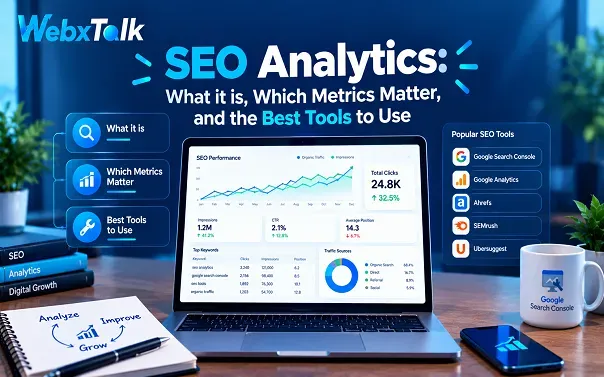
SEO Analytics: How to Track and Improve SEO Performance
Most marketers can pull up a chart of organic traffic in seconds. The harder question comes right after: so what should we do next? That is where SEO analytics comes in. It turns raw search data into decisions about what to fix, what to write, and where to invest.
This guide explains what analytics in SEO means, which metrics are worth tracking, what SEO analytics tools are, and which five tools deserve a place in your stack. You will also get a simple step-by-step process, a way to build reports people actually read, and a look at how to measure visibility in AI search.
What Is Analytics in SEO?
SEO analytics is the process of collecting, analyzing, and interpreting search, website, and outcome data so you can improve your organic performance. It covers things like keyword rankings, organic traffic, click-through rate, backlinks, user behavior, and conversions. The goal is not to admire the numbers but to connect them to action: fixing a slow page, refreshing weak content or doubling down on what already works.
In practice, SEO analytics answers questions such as:
- Which pages and keywords bring in visitors, leads, or sales?
- Where do visitors drop off?
- Why did traffic rise or fall last month?
- Which tasks should we do first?
SEO Analytics vs. SEO Reporting
The two terms are often mixed up. Analytics is the investigation: it looks for the reasons behind a result and helps you prioritize work. Reporting is the communication: it describes what happened in a period, usually through a dashboard or summary. You need both. Analytics without reporting never reaches decision-makers, and reporting without analytics has no depth.
SEO Analytics vs. Keyword Research
Keyword research looks outward at what people search for, often before your site ranks for it. SEO analytics looks at your own data to understand how your efforts are performing. They are different stages of the same process, and each feeds the other.
SEO vs. Analytics
SEO is the practice of improving your visibility: optimizing content, structure and links. Analytics is the measurement layer that tells you whether those efforts are working. Think of SEO as the engine and analytics as the dashboard.
Why SEO Analytics Matters
Search performance is never static. Algorithms change, competitors publish, and seasonality shifts demand. Without analytics, you cannot tell a real problem from normal fluctuation. With it, you can:
- Measure performance. Organic traffic, rankings and engagement show whether your strategy is working.
- Understand user behavior. You see which content people read, where they leave and which paths lead to conversions.
- Spot ranking and traffic drops early. You can react before a small dip becomes a large loss.
- Find technical issues. Crawl errors, slow pages and mobile problems show up in your data.
- Benchmark against competitors. You can see where rivals rank and where gaps remain.
- Prove return on investment. Analytics links organic visibility to leads and revenue, which is what stakeholders care about most.
In short, analytics turns organic search from a guessing game into a measurable growth channel.
Key SEO Analytics Metrics to Track
Track a small set of metrics that match your goal. The table below groups the most useful ones and shows where to find them.
| Metric | Where to find it | What it tells you |
| Impressions | Google Search Console | How often your pages appeared in Google results |
| Clicks | Google Search Console | How many people clicked through from Google |
| Click-through rate (CTR) | Google Search Console | Whether titles and snippets match search intent |
| Average position | Google Search Console | Your aggregated ranking across all searches, best read as a trend |
| Organic sessions | GA4 | Visits attributed to organic search |
| Engagement rate and bounce rate | GA4 | Whether visitors found the page useful |
| Key events (conversions) | GA4 | Form fills, sign-ups or purchases from organic traffic |
| Backlinks and referring domains | Semrush, Ahrefs | The external authority behind your pages |
| Core Web Vitals and page speed | Search Console, Lighthouse | Real-user experience and technical health |
| Index coverage and crawl errors | Google Search Console | Whether Google can access and store your pages |
Visibility metrics
Impressions, clicks, CTR, and average position describe how you perform before the visit. Treat average position as a trend signal, not a fixed rank, because the mix of queries behind that average keeps changing. Rankings also vary with location, device, and personalization, so watch the direction over several weeks instead of reacting to a single day.
Engagement metrics
Organic sessions, engagement rate, time on page, and pages per session describe what happens after the click. In GA4, a session counts as engaged if it lasts longer than 10 seconds, includes a key event, or has two or more page views. Bounce rate is simply the inverse of engagement rate, so a high bounce rate is a prompt to investigate a landing page, not a verdict on its quality.
Business outcome metrics
Organic conversions, assisted conversions, revenue, and return on investment connect SEO to the bottom line. Organic often influences a customer early in the journey and gets no credit under last-click attribution, so it helps to view results under more than one attribution model before judging the channel.
Technical and off-page metrics
Backlink growth, referring domains, crawl errors, index coverage, and Core Web Vitals show whether the foundation supports your visibility. When a traffic drop appears, check these first: technical problems often explain a decline before content or links do.
What Are SEO Analytics Tools?
SEO analytics tools are platforms that collect data about how your site performs in search and help you act on it. A good tool handles the measurement work: defining what to track, implementing tracking, visualizing the results, and pointing to the next task.
They generally fall into a few categories:
- First-party analytics tools such as Google Search Console and Google Analytics 4 show how Google sees your site and what visitors do on it.
- All-in-one SEO platforms such as Semrush and Ahrefs add keyword rankings, competitor data, backlinks, and site audits.
- Technical crawlers and auditors such as Screaming Frog and Google Lighthouse examine page-level health, speed, and site structure.
- Rank trackers such as AccuRanker and SE Ranking monitor keyword positions across locations and devices.
- Reporting and dashboard tools such as Looker Studio, AgencyAnalytics, and Supermetrics pull data from several sources into one view.
These tools complement each other. Third-party platforms do not replace Search Console or GA4; they add competitive and technical context that Google’s own tools do not provide.
The 5 Best SEO Analytics Tools
The right stack depends on your goals and budget, but these five cover almost every need for most websites.
1. Google Search Console
Search Console is the source of truth for how your site performs in Google. It shows queries, pages, impressions, clicks, CTR, and average position, along with indexing status, crawl errors, Core Web Vitals, and mobile usability. It is free. One limit to know about: the Performance report keeps 16 months of data, so export what you need for longer comparisons.
2. Google Analytics 4 (GA4)
GA4 shows what happens after visitors arrive: which landing pages attract organic traffic, how people engage, and which key events they complete. It is free and essential for connecting SEO traffic to outcomes. Its main limitation is that privacy tools and consent settings can cause some visits to go unrecorded.
3. Semrush
Semrush is an all-in-one platform with Position Tracking for keyword rankings, Site Audit for technical health, Backlink Audit, and competitor research. Its project dashboard can pull in Search Console and GA4 data so that your key metrics sit in one place. Traffic figures for other sites are estimates, so use them for competitor comparisons rather than as exact totals.
4. Ahrefs
Ahrefs is best known for backlink analysis. It also offers keyword research, rank tracking, content gap analysis, and site audits. It is a strong choice when you need to understand link profiles and competitor strategy in depth.
5. Screaming Frog SEO Spider
Screaming Frog is a desktop crawler that finds broken links, redirects, duplicate content, missing metadata, and weak internal linking. A crawl is an investigation, not proof of what Google has indexed, so confirm important findings in Search Console.
Worth a look
- Google Lighthouse audits speed, accessibility, and SEO basics on individual pages.
- Looker Studio lets you combine Search Console and GA4 views in a shareable dashboard.
- SE Ranking and AccuRanker are dedicated rank trackers with flexible reporting.
- AgencyAnalytics and Supermetrics automate reporting across many data sources, which is useful for agencies and larger teams.
How to Set Up SEO Analytics
Good analysis starts with correct setup. Bad tracking produces confident but wrong conclusions.
Configure Google Analytics 4
- Create a GA4 account and a property for each website.
- Install the tracking code, directly or through Google Tag Manager.
- Define the key events that matter to your business, such as form submissions, calls or purchases.
- Check that tagging, channel grouping, and consent settings behave as expected.
Connect Google Search Console
- Log in with the same Google account you use for GA4 so the two are easy to link.
- Add a property, choosing either a domain property or a URL-prefix property.
- Verify ownership. Domain properties need DNS verification; URL-prefix properties offer several methods.
- Review the Performance, Indexing, and Experience reports once data starts to appear.
Add third-party tools
Create accounts in the tools you need, such as Semrush, Ahrefs or a rank tracker, and link them to Search Console and GA4 where possible. Add tools to answer specific questions, not just to collect more data.
How to Do SEO Analytics: A Four-Step Process
A repeatable process keeps you from drowning in numbers.
Step 1: Set goals and choose metrics
Start with the decision you need to make. If you want more non-brand discovery, look at impressions, clicks, and query groups in Search Console. If you want to know whether organic visits create demand, add GA4 landing-page sessions and key events. Write down your question and your comparison period before opening any dashboard.
Step 2: Connect and validate your data
Connect Search Console and GA4 first, then add other sources as needed. Before analyzing, check the date ranges, filters, time zones, tracking changes, and site releases in your period. If you recently migrated a site or changed your tags, sessions can drop for measurement reasons, not because demand fell.
Step 3: Analyze changes and prioritize
Pick one meaningful movement and narrow it by page, query, country, and device. Ask whether impressions fell or only CTR dropped, which queries explain the change, and whether the page, the search results or your tracking changed. Then rank opportunities by expected impact and effort.
Step 4: Report and act
End every analysis with a recommendation. State what changed, the most likely explanation, the evidence, the action, the owner, and a review date. A report that does not lead to a next step is only a record.
Why Search Console Clicks and GA4 Sessions Do Not Match
This is one of the most common frustrations in SEO analytics. The two tools measure different things. Search Console counts clicks from Google results before the visit begins, while GA4 counts sessions after the page loads and tracking fires. Differences in attribution, consent, tagging, bots, canonical URLs, and time zones all widen the gap.
Do not try to force the numbers to match. Instead:
- Use Search Console for visibility, queries, and technical diagnostics.
- Use GA4 for behavior and conversions.
- Compare them at the same page level and date range, and label each metric with its source.
- Reconcile conversions with your CRM regularly, because form spam and duplicates can inflate analytics counts.
Turn Analytics Into a Roadmap
Analytics is only valuable when it drives work. These are the kinds of tasks it should help you prioritize each month.
- Create new content. Use the organic search report and query data to find top- and mid-funnel topics you do not yet cover, then build articles or product pages around them.
- Improve existing content. If a page once ranked for a topic that has since evolved, update it to cover the newer phrases and questions people use.
- Lift conversions. Compare conversion rates by landing page and keyword. Pages with strong traffic but weak conversion need clearer calls to action or better intent matching.
- Fix technical and structural issues. If visitors from certain search terms leave quickly, the content may not match the query. Adjust page content or site structure accordingly.
- Protect money pages. Identify the landing pages and keywords that drive leads or revenue, keep them refreshed, and make sure they have strong supporting links.
A simple rule helps: spend most of your effort on pages that already convert and need more traffic, and on pages with high traffic that convert poorly.
How to Build an SEO Dashboard and Report
A dashboard collects your important metrics in one place so trends are easy to spot. You can build one in Looker Studio, use the dashboard inside a platform such as Semrush, or use a reporting tool such as AgencyAnalytics.
A useful dashboard usually includes:
- Organic traffic trend over the last 90 days
- Top landing pages with clicks, CTR, and position
- Keyword ranking changes for priority terms
- Organic conversions and key events
- Index coverage and Core Web Vitals
- Backlink growth
For the report that goes to stakeholders, keep the structure simple:
- Executive summary. What changed, why it matters and how it affects growth.
- Key findings. A few drivers behind the change, such as a technical constraint or a content opportunity.
- KPI performance. Results against goals, with period-over-period comparisons and benchmarks for context.
- Roadmap of action items. Next steps ranked by impact and effort.
Set alerts for sudden drops in organic traffic, indexing or site speed so problems surface quickly. Review high-priority campaigns weekly, and most others monthly.
How to Measure SEO in the Age of AI Search
More searches now end without a click, and AI-generated answers are part of that shift. Click-based reports alone miss part of your influence, so add a few new measures.
- Use platform AI reports. According to Supermetrics’ 2026 guide, Google introduced dedicated generative AI performance reports in Search Console, and Bing Webmaster Tools offers an AI Performance report in public preview for citations across Microsoft’s AI experiences. These show appearances and citations, not visits or revenue.
- Track branded search. I+f people discover you in an answer and search your name later, branded query growth in Search Console is a useful awareness signal.
- Check AI citations manually. Test priority questions in AI assistants and record whether your brand is mentioned, and how.
- Ask customers. A simple how-did-you-hear-about-us question after conversion captures discovery that analytics cannot see.
Always label which platform and surface each AI metric covers, and do not treat visibility in an AI answer as proof of traffic.
Common SEO Analytics Mistakes to Avoid
- Tracking too many metrics instead of those tied to a goal.
- Trusting a single tool as the whole truth when sources disagree.
- Declaring success from small samples or short time windows.
- Ignoring tracking changes, migrations, and algorithm updates when reading trends.
- Reporting activity, such as posts published, instead of outcomes, such as conversions.
- Delivering data dumps with no recommendations.
FAQs
What is analytics in SEO?
Analytics in SEO is the practice of collecting and interpreting data on how your website performs in search, including rankings, traffic, engagement and conversions, so you can make better decisions about your SEO strategy.
What are SEO analytics tools?
They are platforms that track and analyze your search performance. Examples include Google Search Console and GA4 for first-party data, Semrush and Ahrefs for rankings, backlinks and competitor research, Screaming Frog for technical crawls, and Looker Studio for dashboards.
What are the 5 best SEO tools?
For most sites, the strongest core stack is Google Search Console, Google Analytics 4, Semrush, Ahrefs and Screaming Frog. Together they cover search visibility, user behavior, competitor and backlink research, and technical health.
What is the difference between SEO analytics and SEO reporting?
Analytics investigates why performance changed and what to do about it. Reporting communicates the results to stakeholders.
How often should I review SEO analytics?
Weekly for new or high-priority campaigns, and monthly for most ongoing work, supported by alerts for sudden drops.
Which SEO metrics matter most?
It depends on your goal, but impressions, clicks, CTR and average position cover visibility; engagement rate and organic sessions cover behavior; and key events and revenue cover business impact.
Can SEO analytics measure AI search visibility?
Partly. Platform reports and manual checks can show appearances and citations in AI answers, but they do not prove traffic or conversions on their own.
Final Thoughts
SEO analytics is less about collecting more data and more about reaching confident decisions. Set up Search Console and GA4 correctly, track only the metrics tied to your goals, validate your data before you interpret it, and always end an analysis with an action, an owner and a review date. Add tools as your questions grow more advanced, and keep an eye on AI search visibility as clicks become harder to count. Do this consistently, and your reports will stop being a record of the past and become a plan for what to do next.



 Yes, I Want Growth