
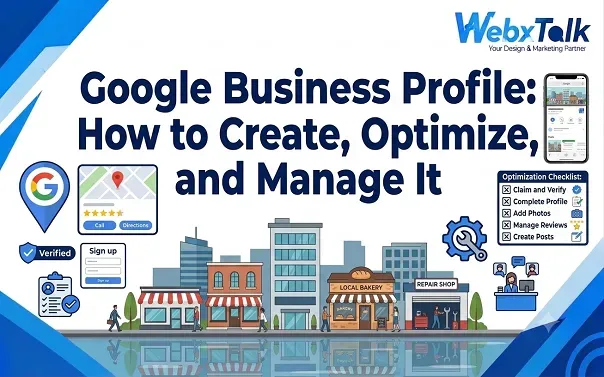
Google Business Profile: How to Create, Optimize, and Manage It
When someone searches for a dentist, restaurant, plumber, or digital marketing agency nearby, Google often shows local businesses before the regular website results. People can check their reviews, opening hours, photos, contact details, and directions without visiting another website. For a local business, that first impression can influence whether someone decides to call, visit, or keep looking.
This is where Google Business Profile comes in. It gives eligible businesses a way to manage how they appear on Google Search and Maps. Simply creating a profile is a good start, but keeping the information accurate, adding useful photos, and responding to customer reviews are just as important.
A well-maintained profile makes it easier for potential customers to understand what a business offers. It also gives Google more accurate information to use when matching local businesses with relevant searches. Here’s how to create a good Google Business Profile and make the most of it.
What Is Google Business Profile?
Google Business Profile is a free tool that lets eligible businesses manage their information on Google Search and Google Maps. You may remember its older name, Google My Business. Google changed the name to Google Business Profile in 2021, but the basic purpose remains the same: helping businesses present accurate information to people searching for them.
A profile can include the business name, category, address or service area, phone number, opening hours, website, photos, reviews, and other details depending on the business type. Restaurants may be able to show menus, while service providers can list their services and businesses in supported categories may offer booking options.
Imagine someone searching for a dental clinic near their home. Before choosing one, they may want to know whether it is open, how far away it is, what other patients have said, and how to book an appointment. A Google Business Profile brings much of that information together.
The profile is also useful for businesses that travel to customers instead of serving them at a shop or office. A plumber, electrician, or home cleaning service can create an eligible service-area profile without displaying a residential address to the public.
Google explains the available features and eligibility requirements in its official Google Business Profile guide.
Is Google Business Profile Free?
Yes. Creating and managing a Google Business Profile is free. You do not need to pay Google to add an eligible business to Search and Maps, update its information, upload photos, or respond to customer reviews.
There are still costs you might choose to incur. For example, you could hire an SEO professional to improve your local search strategy, pay for photography, or run Google Ads to reach more potential customers. These are separate expenses, not a requirement for having a Business Profile.
You also do not need a paid SEO tool just to get started. A business owner can create a profile, complete the details, share a review link, and maintain the listing without purchasing a subscription.
What matters more than spending money is how well the profile represents the actual business. A free profile with accurate information and useful photos can make a better impression than one filled with incomplete details or outdated opening hours.
What Does a Google Business Profile Look Like?
A Google Business Profile can appear in different ways depending on the search, device, business category, and information available.
When someone searches for a business by name, Google may display a prominent business panel containing its name, category, review rating, contact details, opening hours, photos, and links to its website or directions. On Google Maps, users can open the listing to see more information, read reviews, browse photos, and check the location.
Local searches can look a little different. A person searching for “Italian restaurants near me” might see a map and a group of nearby businesses. Each listing can show details such as the restaurant’s name, rating, location, and hours. Clicking a result opens its fuller profile.
Not every profile displays exactly the same features. Some businesses have booking links, menus, service details, or product information, while others may show different options. Google can also use information from other sources, including customer-submitted photos and details, to help people understand a business.
This is worth remembering when setting up your listing. You can control the information you provide, but you cannot always decide precisely how every part of the profile appears. Google’s guidance on how it uses Business Profile information explains this in more detail.
How to Create a Good Google Business Profile
Creating a profile is relatively straightforward, but it helps to get the details right from the beginning. Incorrect information can confuse customers, while duplicate profiles or an ineligible address may cause problems later.
1. Check whether your business already exists
Before creating a new listing, search for the business name on Google Search and Maps. A profile may already exist even if you did not create it yourself.
If you find one, check whether you can claim it. If someone else manages the listing, you may need to request ownership rather than create another profile for the same business.
If there is no existing listing, visit Google’s Business Profile setup page and sign in with a Google Account.
2. Add your business name and category
Use the business name customers actually know, as it appears on your signage and other real-world branding. Avoid adding extra keywords, city names, phone numbers, or promotional phrases just to influence rankings.
For example, if a business is called “Green Leaf Dental,” use that name rather than changing it to “Green Leaf Dental, Best Dentist in Delhi.” Google requires business names to reflect real-world names, and unnecessary additions can lead to profile problems.
Next, choose the category that best describes your main business. A dental clinic should select the most accurate dental category available rather than choosing several loosely related categories in the hope of appearing for more searches. You can add other relevant categories where appropriate, but the primary category should describe the core business.
3. Enter the correct address or service area
If customers visit your shop, clinic, or office, enter the actual business address. The location should be genuine and accurately represented to support local SEO.
Businesses that travel to customers can set a service area instead. For example, a plumber who works at customers’ homes can list the areas served and hide a residential address if customers are not received there.
Do not use a virtual office or a rented mailing address simply to create a local presence. Google’s eligibility guidelines require a genuine business location or qualifying in-person service arrangement. Follow Google’s guidelines when managing your local search presence.
4. Add contact details and opening hours
Enter the correct phone number, website, and regular opening hours. If your business closes for a holiday or follows different hours on certain days, update those details too.
These may seem like small things, but they directly affect the customer experience. Someone who drives to your shop only to discover it is closed may not give you another chance.
Make sure your information agrees with your website and other important business listings. If the phone number or address has changed, update it wherever customers are likely to find you.
5. Complete the profile with useful details
Add a clear business description explaining what you offer, who you serve, and what customers can expect. Keep it factual and easy to understand rather than turning it into a list of keywords.
Include relevant services, products, attributes, and booking details where those options are available. A restaurant, for example, may benefit from an accurate menu and information about delivery or dining options. A home service business may need to explain the work it handles and the areas it covers.
Finally, upload genuine photos of the business, its team, products, premises, or completed work. Use clear images that help people know what to expect. Avoid stock photos that make the business look different from the real experience.
6. Complete Google’s verification process
Google needs to verify that you are authorised to represent the business. The verification methods offered can vary depending on the business and its circumstances, so follow the options shown in your account.
Once verified, you can manage the profile and make eligible changes to its information. If verification is still pending, avoid creating another listing just because the first one is taking time.
How to Optimize a Google Business Profile for Local SEO
A completed profile gives you a foundation. Follow these steps to keep it accurate, useful, and relevant to local searches.
- Check your business information: Make sure your category, address or service area, opening hours, phone number, and website are correct. Update the details whenever something changes.
- Add relevant business photos: Upload current images that represent the actual customer experience. A restaurant might share pictures of its dining area and menu items, while a dentist could show the reception area and treatment facilities.
- Manage customer reviews: Respond professionally to feedback, thank customers when appropriate, and address complaints without arguing publicly. Thoughtful responses can show potential customers how your business handles problems.
- Understand local ranking factors: Google says local results are primarily influenced by relevance, distance, and prominence. Relevance measures how well your profile matches a search, distance relates to how far your business is from the searcher, and prominence reflects how well-known your business is.
- Support your wider SEO strategy: Accurate profile information helps Google understand your business. Relevant website content and keyword research can help you understand what customers search for and create useful pages that match their needs.
- Review performance and make updates: Check your profile regularly to keep information current and identify opportunities to improve the customer experience. No profile setting or SEO technique can guarantee a top local position because searchers’ locations and other ranking factors also matter.
For more tips on improving your website’s search performance, check out our SEO guide for practical strategies to strengthen your overall SEO efforts.
Can Anyone Create a Google Business Profile?
Not every business qualifies. Google generally requires a business to have in-person contact with customers during its stated hours. That includes businesses with a physical location customers can visit and qualifying service-area businesses that travel to customers.
A retail shop, restaurant, dental clinic, or plumber may qualify if it meets Google’s requirements. An online-only business that never meets customers in person generally does not qualify. Virtual offices and mailing addresses that do not represent a genuine operating location are not acceptable substitutes.
There is also a difference between creating a profile and being authorised to manage one. Business owners can manage their own listings, and an authorised employee or agency can help with permission from the owner. An agency should not claim or alter a business profile without the owner’s consent.
If you are unsure whether a business qualifies, check Google’s eligibility and ownership guidelines before starting the process.
Can I Have Two Business Profiles on Google?
Understanding Google’s rules for multiple business profiles can help you avoid duplicate listings, verification issues, and unnecessary problems with your online presence. If your business has multiple locations or shares an address with another independent business, checking the eligibility requirements is the best way to manage your profiles correctly.
If you’re unsure how to handle multiple listings or fix a duplicate profile, digital marketing agencies like Webxtalk can help businesses manage their Google Business Profiles and maintain accurate business information across eligible locations.
How to Get 1,000 Reviews on Google
Reaching 1,000 Google reviews is possible for some businesses, but there is no guaranteed timeline. Customer volume, business age, and customers’ willingness to share feedback all influence how quickly reviews grow.
Follow these steps to build genuine Google reviews over time:
- Ask customers for honest reviews: Invite customers to share feedback after a completed purchase, appointment, or service visit.
- Share a review link or QR code: Make it easy for customers to leave a review. Google allows businesses to share a review link or QR code.
- Use follow-up messages: A dental clinic can send a polite message after an appointment, while a restaurant can add a review QR code to receipts or thank-you cards.
- Avoid incentives and pressure: Never offer discounts, gifts, cash, or free services in exchange for reviews. Do not buy reviews or pressure customers to leave five stars. Google prohibits incentivised reviews and attempts to manipulate ratings.
- Ask customers fairly and consistently: Make review requests a regular part of the customer journey. Avoid selectively asking only customers who are expected to leave positive feedback.
- Respond to customer feedback: Reply to positive and critical reviews. A sincere response can acknowledge concerns and show potential customers that feedback is taken seriously.
- Focus on genuine customer experiences: Consistent service quality and simple review requests can help reviews build naturally over time. Aim for authentic feedback rather than reaching 1,000 reviews as quickly as possible.
For more details, read Google’s official guidance on getting more reviews.
Common Google Business Profile Mistakes to Avoid
One common mistake is creating a profile before checking whether the business is eligible or already listed. This can lead to duplicate records or unnecessary verification problems. Take a moment to search for the business first.
Another is adding keywords to the business name. It may seem like an easy way to get more visibility, but the name should reflect the real business rather than the searches it wants to target. Choose accurate categories and describe your services in the appropriate fields instead.
Outdated information can also cost you customers. Old phone numbers, incorrect holiday hours, missing photos, and unanswered reviews make a business look neglected. Check the profile regularly, especially after changes to the business.
Finally, don’t treat the profile as a ranking trick. No agency or tool can guarantee a top local position just by making edits. Keep the information accurate, earn genuine reviews, give customers useful details, and build your wider local presence over time. Keyword research can also help you understand what customers search for, but it should guide relevant content rather than changing your business name to include extra keywords.
FAQs
How long does Google Business Profile verification take?
It depends on the verification method Google offers. Follow the instructions in your account and wait for the process to finish before assuming something is wrong. Verification can take longer in some cases, and the available methods are not the same for every business.
Does Google Business Profile help local SEO?
Yes. A complete, accurate profile can help Google match your business with relevant local searches. Visibility still depends on factors such as relevance, distance, and prominence, so a profile alone does not guarantee high rankings.
Can a service-area business hide its address?
Yes. If the business travels to customers and does not receive them at its own location, it should generally hide the address and specify the areas it serves. The business must still meet Google’s eligibility requirements.
Can an SEO agency manage my Google Business Profile?
Yes, an agency can help manage a profile when authorised by the business owner. The owner should retain control and understand who has access. An agency should never claim a listing without consent.
Does a Google Business Profile replace a website?
No. A profile helps people find essential business information, but a website can provide more detail about services, pricing, case studies, FAQs, and booking or enquiry options. The two can support each other.
Final Thoughts
A Google Business Profile can help people discover your business, check the details they need, and decide whether to get in touch. You do not need to pay Google to create one, but you do need to make sure the information is accurate, the listing meets Google’s guidelines, and customers can trust what they see.
Start with the essentials: claim the correct profile, complete the details, add genuine photos, keep your hours updated, and invite customers to share honest feedback. Review the listing regularly instead of setting it up once and forgetting about it. The aim isn’t just to have a profile on Google; it’s to give potential customers enough accurate information to feel confident choosing your business.


 Yes, I Want Growth